



Console For Dummies
“Can someone explain what the unity console is even saying?”
Sure. I got you.
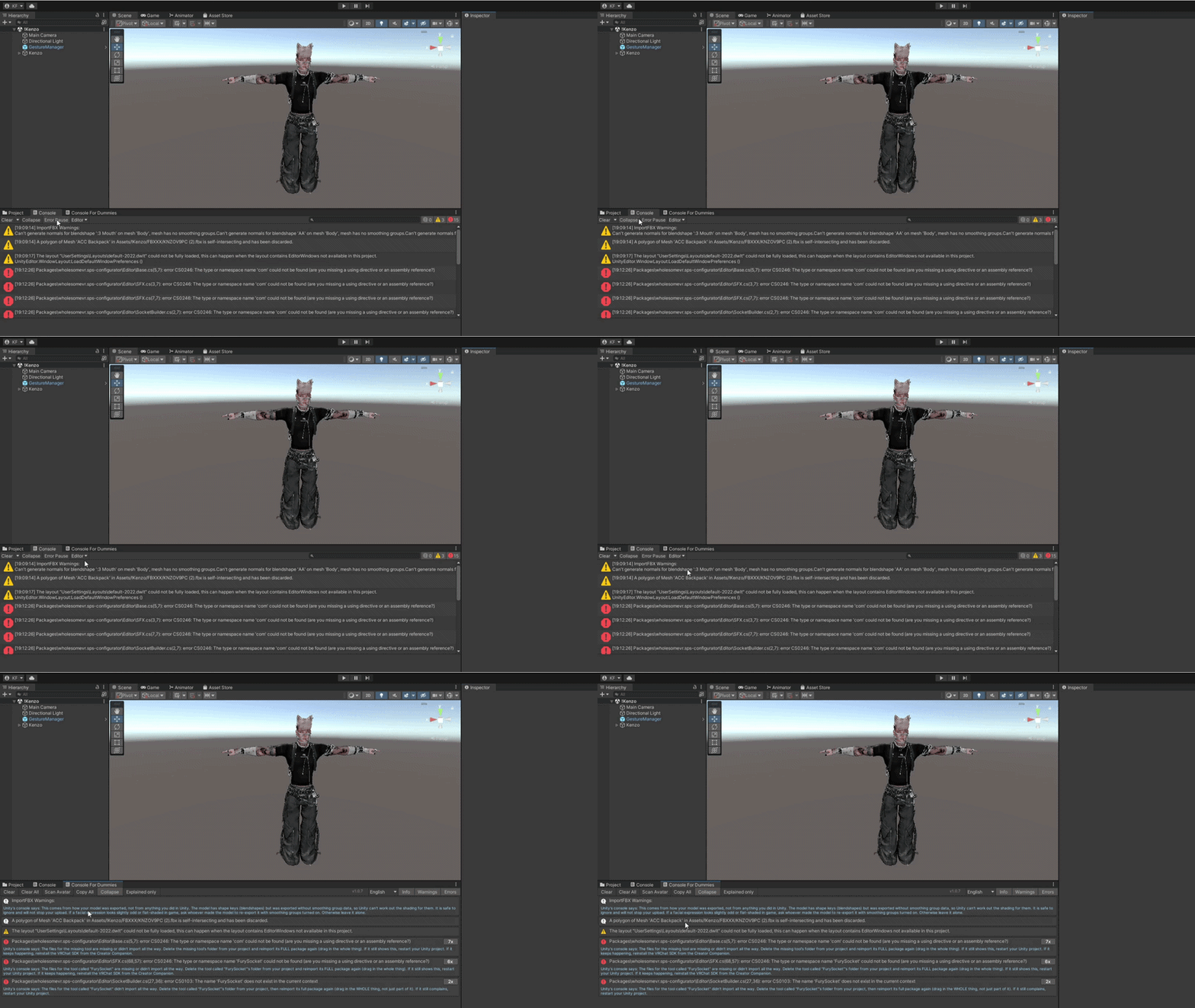
Console For Dummies is built for people who just want to upload their avatar — no coding, no Googling error codes, no pasting red text into a translator and hoping. It reads your console as you work and tells you, in words you already understand, which errors are stopping you and which ones you can safely ignore.

What Can Console For Dummies Do?
Console For Dummies reads and explains:
· Every error and warning in readable sentences for beginners to read and solve, written the way a friend would say it
· Whether it actually blocks your upload, or is safe to ignore completely
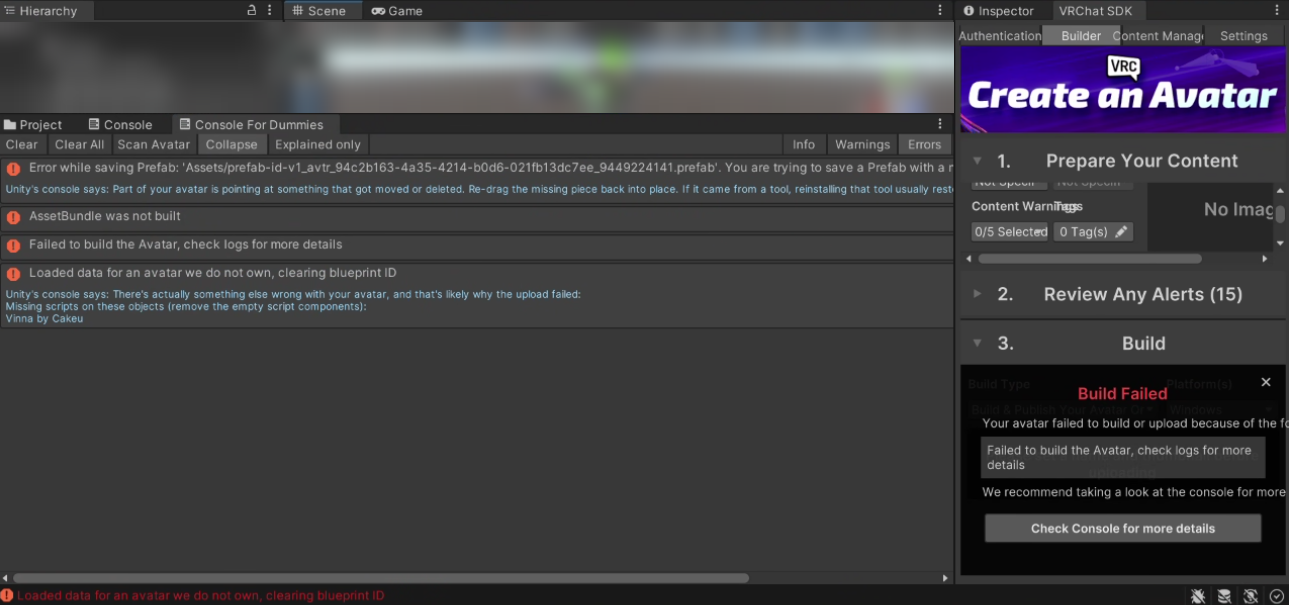
· The real problem hiding behind confusing VRChat SDK errors
· Which exact object or material is broken, with a button that jumps straight to it
· Unity's startup noise, folded into a single line instead of eighty
It updates live as you work, so the explanation is already there the moment the error appears.
It Tells You What Actually Matters
Not every red line is a real problem, and Unity never tells you which is which.
Errors that genuinely stop your upload get a bright [URGENT] tag and jump to the top of the window, so the one or two things actually blocking you are never buried under eighty harmless warnings. Everything else gets explained calmly — including the ones that can't be fixed, because nothing is broken.
Scan Avatar
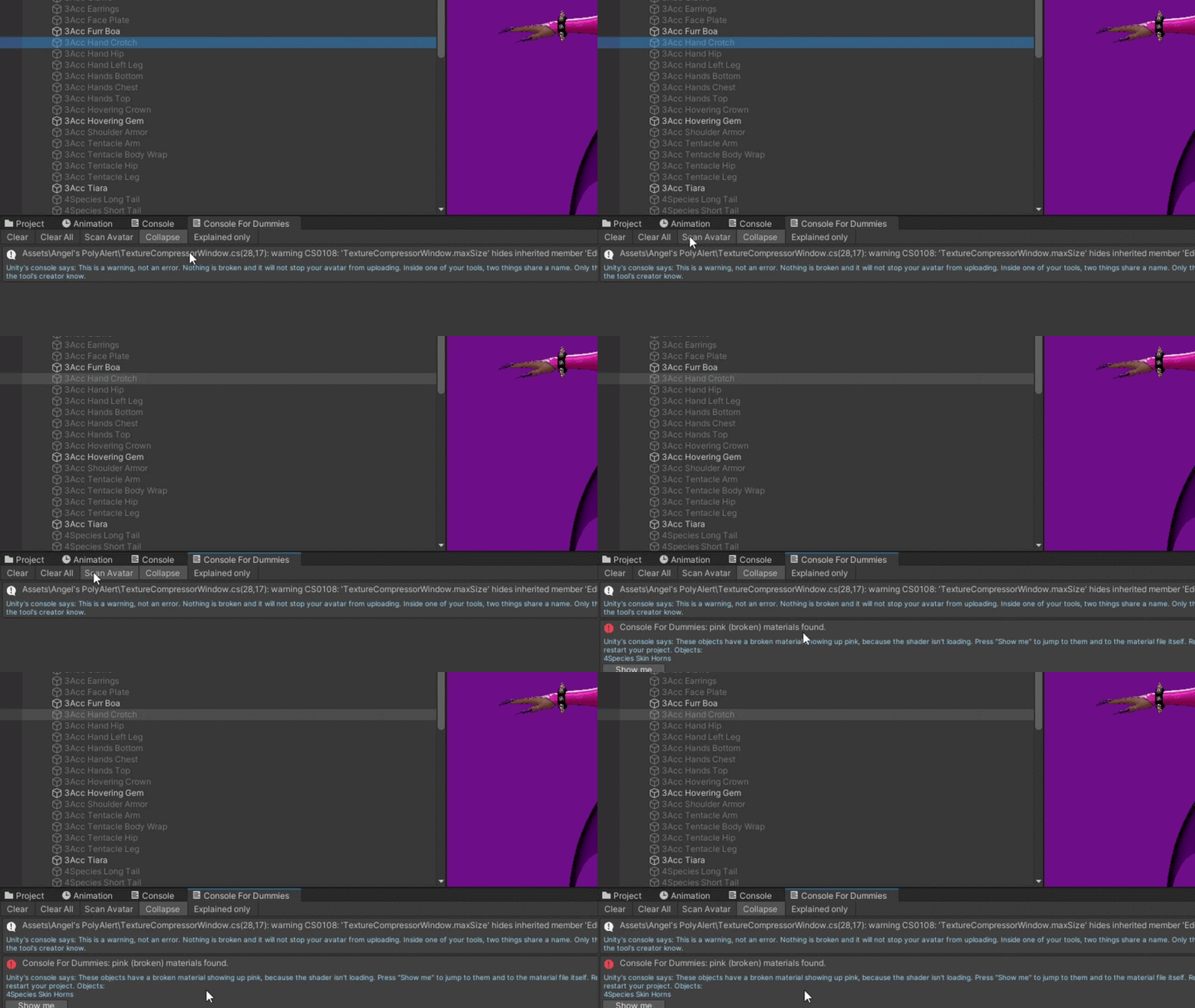
Hit Scan Avatar and it checks your selected avatar directly — pink and broken materials, missing scripts, and the setup problems the SDK will reject you for.
It names the exact object every time, so you find the problem before you waste an upload attempt.
Show Me Buttons
When Console For Dummies can work out which object or material is causing an error, it gives you a Show me button. One click selects and highlights it in your scene.
No hunting through your hierarchy trying to guess which of your forty materials Unity is complaining about.
Copy For Help, Safely
One button copies your errors and their explanations, formatted to paste straight into Discord when you need to ask someone.
Your Windows username and your avatar ID are stripped out automatically, so you can share a log without sharing anything private.
It Keeps Working When Everything Else Breaks
Console For Dummies compiles on its own, separately from the rest of your project. When a package gets removed and your whole project stops building, most tools vanish from the menu along with it — exactly when you need one most. This one stays open and tells you what happened and which tool caused it.
It also runs completely offline. Nothing is sent anywhere, ever. Every explanation is written into the tool itself.
How To Use:
Drop the Console For Dummies folder into your Unity project's Assets.
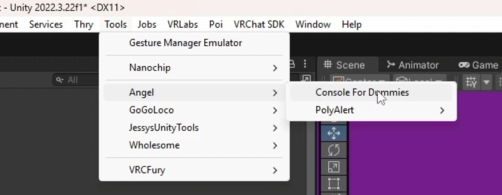
Open Tools > Angel > Console For Dummies.
Dock it next to your normal Console tab and leave it open while you work.
Select your avatar and press Scan Avatar before you upload.
Read the blue text under any error, and press Show me where it appears.
Fix anything marked [URGENT] first — those are the ones stopping your upload.
Requirements:
Basic knowledge of Unity and VRChat avatar setup.
A Unity project with the VRChat SDK installed.
Changelog:
1.0 — Initial Release
· Plain explanations for over sixty common errors
· Live console reading with automatic explanations
· Scan Avatar for pink materials and missing scripts
· Show me buttons that jump straight to the broken object
· [URGENT] tagging and sorting for upload-blocking errors
· Copy for help with automatic username and avatar ID masking
· Startup noise filtering and one-line collapsing
· Detection of missing packages and the tools that depend on them
· Full English and Japanese language support
· Runs in its own assembly, so it survives a broken project
Warning: With this tool, you’re going to have to actually read what it tells you. It will tell you issues that you may manually have to resolve yourself.
TOS:
- By purchasing or downloading Angel's Console For Dummies, you agree to the following terms:
- DO NOT leak, share, redistribute, reupload, or resell this tool or its Unity package.
- Do not send the package or included files to anyone who has not obtained their own copy.
- You are allowed to use Console For Dummies for personal and commercial avatar work.
- You may NOT include Console For Dummies itself or its files inside an avatar, asset, project, or package that you distribute.
- Do not claim the tool or its code as your own.
- No refunds will be provided for digital purchases.
- I am not responsible for issues caused by future Unity, VRChat SDK, or third-party package updates, though compatibility updates may be provided when necessary.