
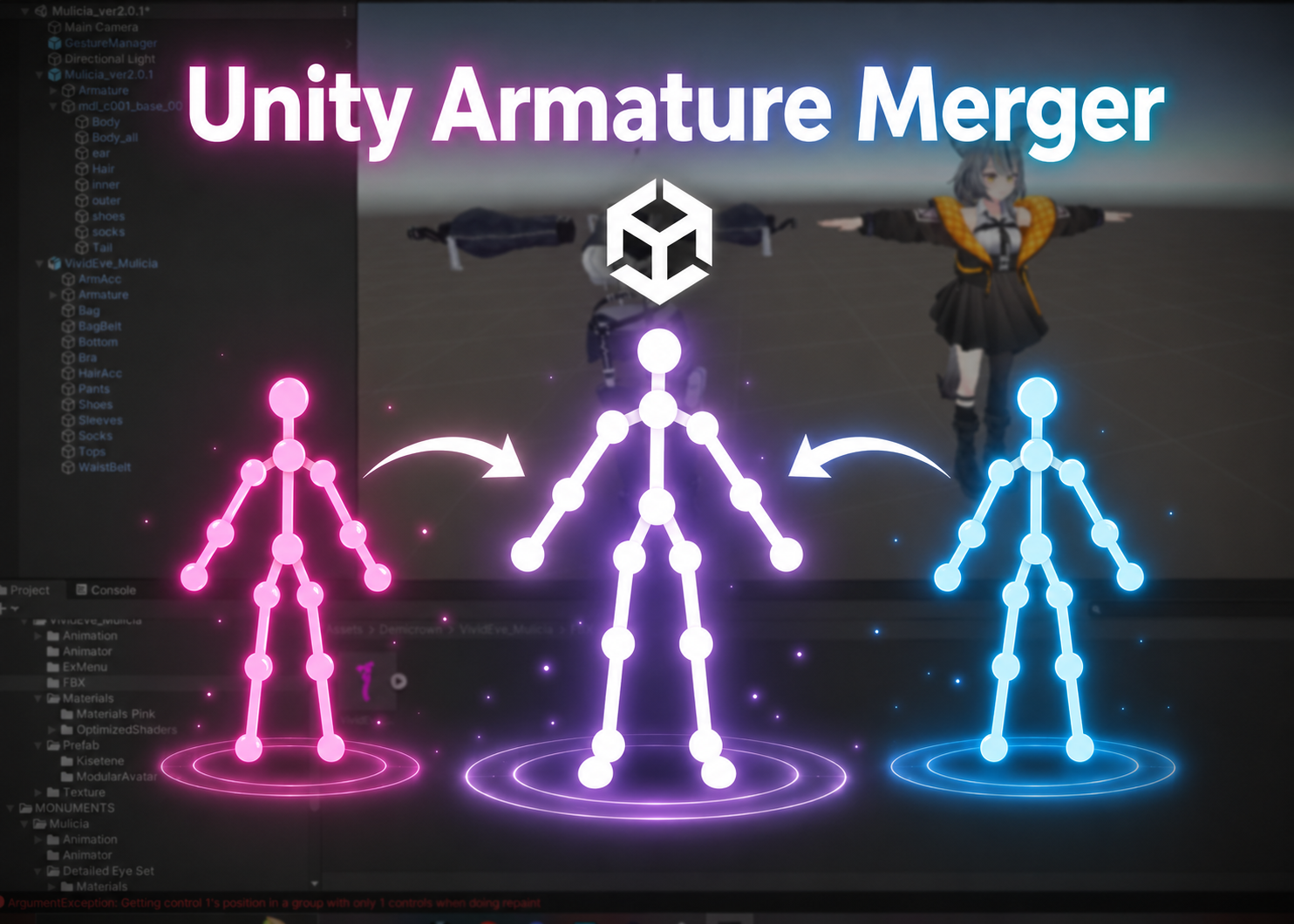

Unity Armature Merger
GET A 20% OFF CODE BY BOOSTING THE SERVER!
Unity Armature Merger is a tool for merging a clothing item's armature onto your VRChat avatar — cleanly, in a few clicks, without the mesh squishing or distorting.
Instead of a rough reparent, it does a real calculated merge. It uses the same bind-pose calculations that a proper Blender merge relies on, so your outfit keeps its exact shape onto a single clean skeleton instead of squishing or bloating your bone count.
Simply set your avatar's armature as the Base, set the clothing item's armature as the one to merge, check the preview list, and press Merge. No extra setup needed.
What Can Armature Merger Do?
Merge Armature
Merges a clothing item's armature into your avatar's. It matches the two skeletons, re-skins the item's meshes onto your avatar's bones, keeps extra bones like jiggle bones and hip dips, moves the meshes in, and cleans up the leftover armature, all in one press.
Blender-Style Calculated Merge
Under the hood it uses the same bind-pose math as a Blender merge. It recomputes each mesh's binding relative to your avatar's bones so the mesh keeps its exact shape instead of squishing or distorting. That means a clean, lossless merge onto a single skeleton — no bone-count bloat, done with real calculative proficiency rather than a rough reparent.
Smart Bone Matching
Armature Merger recognizes wildly different bone naming conventions automatically. UpperArm, arm, Bip_Arm, J_Bip_L_UpperArm, mixamo names, and more all get matched for you — no manual renaming needed.
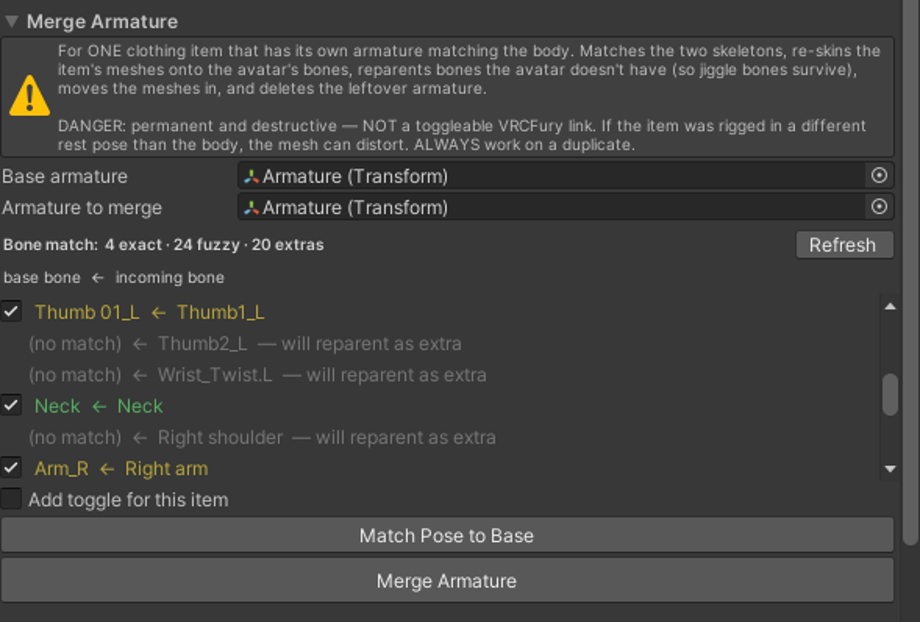
A live preview list shows you every match before you commit:
Green — exact match
Yellow — matched by name convention, worth a quick double-check
Grey — no match, will be reparented as an extra bone
Every match has a checkbox, so you can exclude any bone you don't want merged.
Automatic Toggle Generator
Armature Merger can also build an on/off toggle for the item as you merge — no extra setup.
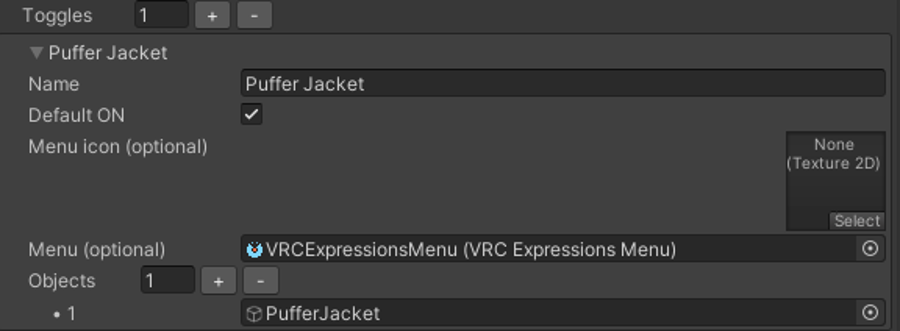
It wires up the FX layer, parameter, animations, expression parameter, and menu control for you. You can add multiple toggles, multiple objects per toggle, set a default on or off state, add a menu icon, and even choose which Expressions submenu each toggle should go into.
That means you don't have to stop and hand-build a toggle for every outfit you merge in.

Not everything needs a full merge. Attach To Bone parents a prop to a single bone — a hat on the head, a sword in the hand — so it rides along with your avatar, with its own optional toggle. Perfect for quick accessories.
Fix Clipping

Bundled right alongside the merger, Fix Clipping is a scene-view painting tool for fixing the small clipping that cross-base outfits often leave behind. Just pick the mesh, paint over the area that's poking through, and use the Push slider to nudge those verts outward to cover the clipping (or inward to tuck the body under clothes). Turn on Preview to see the fix live in the scene as you paint, and when it looks right, Apply saves it as a blendshape you can toggle 0–100 in-game.
A Note On Cross-Base Outfits
Same-base outfits — ones already rigged to fit your body — merge cleanly and losslessly. Cross-base outfits, rigged for a completely different body, will always need some manual bone-fitting first, just like they would in Blender. No tool can automatically fit an outfit made for a different base. What Armature Merger does is respect that fitting once you've done it, and merge it in cleanly without distortion.
How To Use:
Place your avatar and the clothing item in your Unity scene.
Open Unity Armature Merger.
Set your avatar's armature as the Base armature.
Set the clothing item's armature as the Armature to merge.
Check the preview list and tick or untick any bones.
Optionally add a toggle for the item.
Press Merge.
A full 2-minute feature overview is available in the product preview video.
Requirements:
- Basic knowledge of Unity and VRChat avatar setup.
- A Unity project with the VRChat Avatar SDK installed.
TOS:
By purchasing or downloading Unity Armature Merger, you agree to the following terms:
· DO NOT leak, share, redistribute, reupload, or resell this tool or its Unity package.
· Do not send the package or included files to anyone who has not obtained their own copy.
· You are allowed to use Armature Merger for personal and commercial avatar work.
· Avatars and projects modified using Armature Merger may be distributed or sold according to the licenses of the assets used in those projects.
· You may NOT include Unity Armature Merger itself or its files inside an avatar, asset, project, or package that you distribute.
· Do not claim the tool or its code as your own
· No refunds will be provided for digital purchases.
· I am not responsible for issues caused by future Unity, VRChat SDK, or third-party package updates, though compatibility updates may be provided when necessary.
Credits:
Avatar in the video is Loveblight by MIAOWZ
Fix Clipping photo was done by Celestial
Need more help using this product? Join the discord!